UTM Builder • Copy-ready URLs • Works with QLink analytics
UTM Builder for Campaign Tracking
Generate UTM-tagged URLs for Google Analytics and marketing reports. Then shorten them with QLink and export click analytics into Google Sheets.
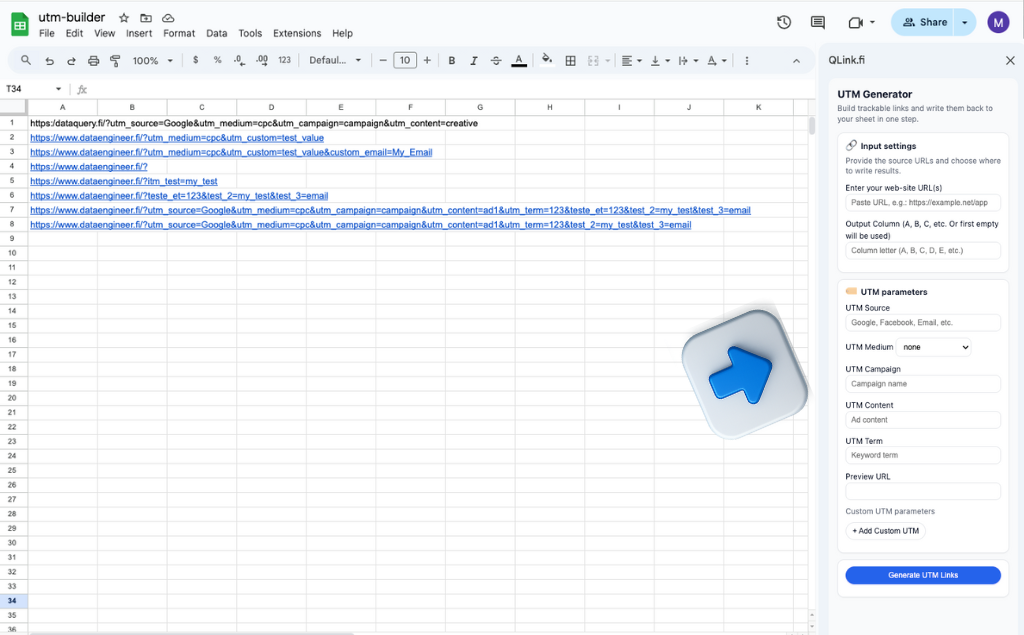
Example: build UTMs consistently, shorten links, and export click analytics into your sheet.
Build your UTM URL
Fill the fields below. The final URL will update automatically.
What are UTM parameters?
UTM parameters are tags added to a URL to help analytics tools attribute traffic to the right
channel and campaign. The most common parameters are
utm_source, utm_medium, and utm_campaign.
UTMs let you compare channels (email vs ads vs social) and measure campaigns reliably.
A consistent UTM naming convention prevents messy dashboards and makes reporting easier.
The smarter workflow: UTMs + short links + Google Sheets reporting
A standalone UTM builder helps you tag one URL. But real teams manage dozens or hundreds of links: different campaigns, channels, countries, creatives, and A/B variants. QLink combines UTM creation with short links and analytics export into Google Sheets - so planning and reporting live in one place.

UTM Builder FAQ
Which UTM parameters are required?
+
utm_source, utm_medium, and utm_campaign.
utm_term and utm_content are optional.